> Platforms with TR Integration > Playcanvas Development > Adding an Aug
Adding an Augmentation to your Game
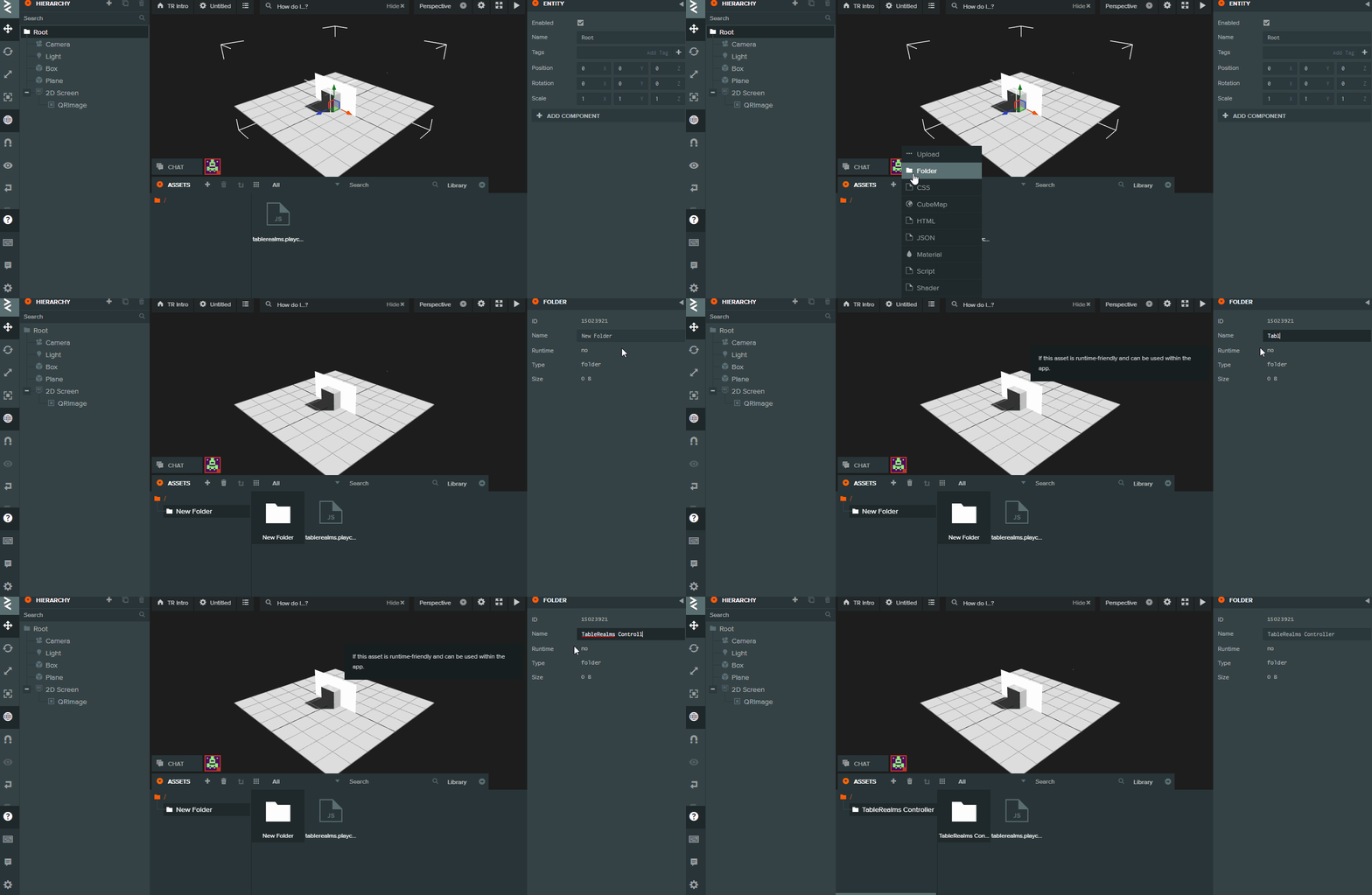
Create a directory in your workspace for the .aug Augmentation file.
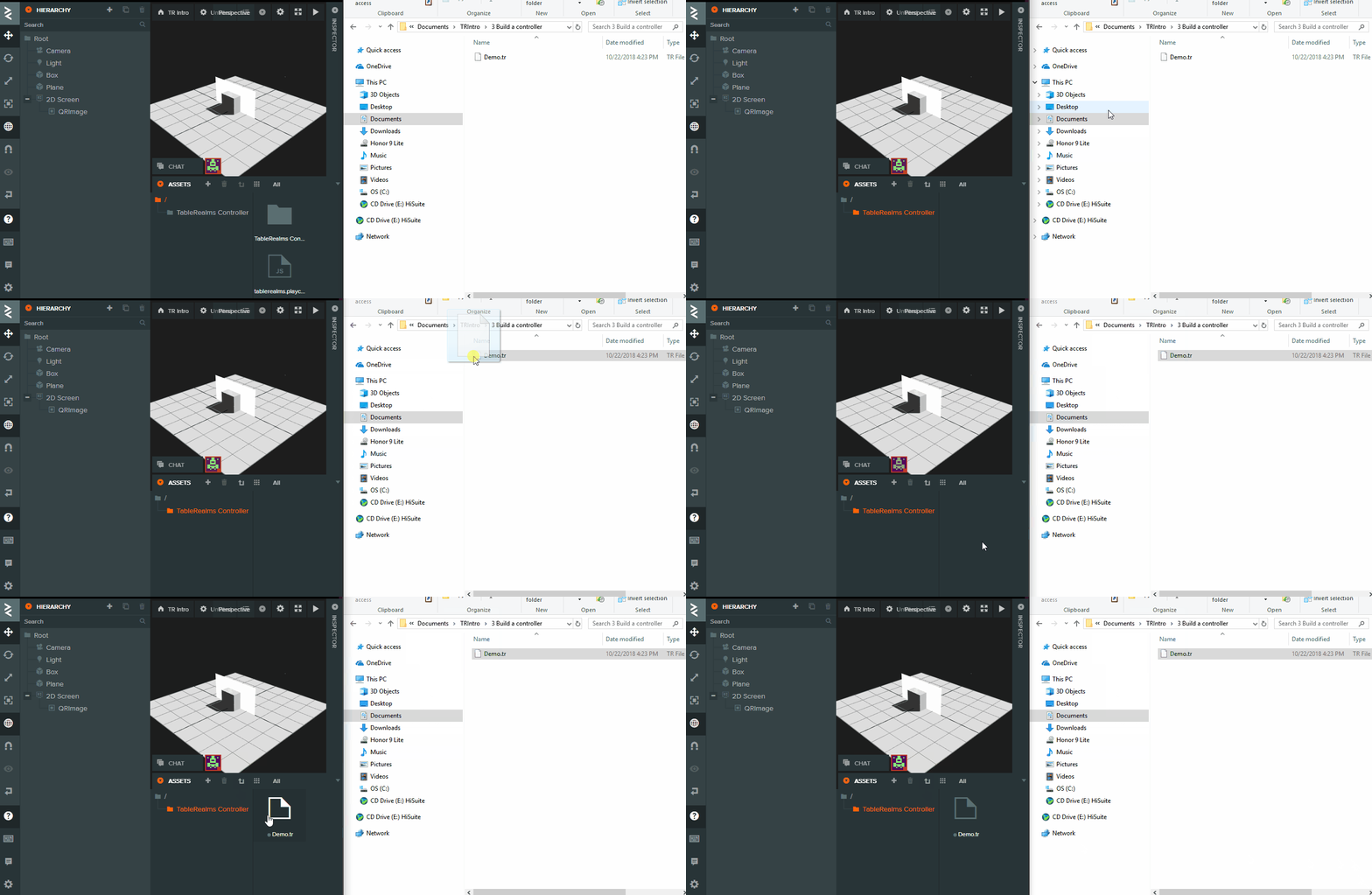
Just drag and drop to upload it.
Select the entity that Table Realms script is attached to and point “Design Package” to the newly uploaded file.

Run your game using the PlayCanvas builder.
Now if you scan the QR code with the TR android app, it should send the augmentation design to your phone and be loaded.

NB: make sure default page is specified in the designer.
For more info about pages on the augs, please see the section entitled Changing Pages