Handy Tools for Building and Testing in Table Realms
NOTE: This page is still under construction!
Overview
The purpose of these tools is to make building and testing of Table Realms integrated games in P2P and embedded modes easier.
Prior to the creation of these tools, it was necessary to deploy the P2P and embedded modes of the games to test them.
Web Testing Harness
Installation of the Test Harness
Please note the testing tool requires node.js to run. If you have not installed it yet, please do so. The tool is hosted in this repo, and the steps to using it are as follows:
- If your platform of choice is Unity:
- Copy your WebGL build into the /game directory, within the test harness folder structure.
- Double click the run.bat file, which should then open a Chrome browser window displaying the harness.
- Choose whether the protocol is P2P or P3P.
- If your platform of choice is Playcanvas:
- Double click the run.bat file, which should then open a Chrome browser window displaying the harness.
- Copy your build URL into the text box.
- Choose whether the protocol is P2P or P3P.
- If your platform of choice is Construct2/3:
- Export an HTML build from the Desktop App into the /game directory, within the test harness folder structure.
- Double click the run.bat file, which should then open a Chrome browser window displaying the harness and QR code.
- Choose whether the protocol is P2P or P3P.
Running the Test Harness
Once the run.bat file has been opened from the folder structure, the following command line script will run in the back end, via Windows command prompt:
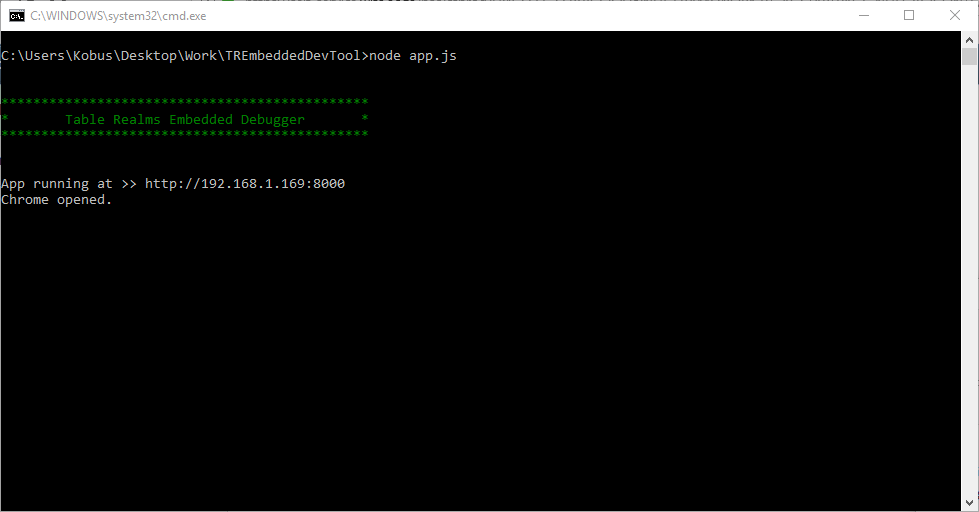
The command line script will cause the a Chrome browser window to open, displaying a QR code hosted on the test harness framework.

Please note: Debugging builds won’t work in PlayCanvas, since that platform requires you to be authenticated.
How Does the Test Harness Work?
This tool reduces the necessity of deploying to test P2P and embedded modes by doing the following:
- The tool finds an open port on which to start a web server.
- Once the port has been found, the tool directs Chrome to point at that address.
- Chrome requests a web page that contains the user interface.
- The requested page runs the Javascript to generate the QR code.
- Depending on the address provided in the text box, the tool can:
- Point to a hosted Playcanvas page
- Serve Unity builds locally
- Run a locally hosted Construct2/3 game in either console or P2P/P3P modes
Testing Protocols
A new feature of the test harness allows the user to choose either the P2P or P3P protocol in order to test. As described in greater detail here, the P2 protocol allows only the host to send messages to the clients, whereas the P3 protocol also allows the clients to send messages to the host, and from there have the messages sent to other clients.
While P3 allows for a greater range of functionality to be implemented, it is important to first ensure whether your game warrants that protocol - if you don’t plan and sequence actions correctly, you’ll be in for some pretty big problems.
It is important to remember which protocol your game uses, and selecting the correct mode when using the build tool. Although it is possible to run a game built using P2 in the harness’s P3 mode, it could cause unintentional messages to be sent from the client to the host. Likewise, a game built using P3 will not function correctly in the harness’s P2 mode, as the client devices will be unable to send messages to the host device.